
先日,scikit-learnの中のcalifornia_housingを持ってこようとしたらうまくエラーで持ってくることができず苦労したので,共有しておきます.
発生した問題
以下のcalifornia_housingのデータセットを持ってくるだけのコードを実行すると
from sklearn.conftest import fetch_california_housing
data = fetch_california_housing()
urllib.error.HTTPError: HTTP Error 403: Forbiddenで権限が無くてデータセットがダウンロードできないという問題です(なんでや)
以下がエラーの全文です.
(test-enviroment) ☁  test_enviroment [main] uv run ./main.py

/test_enviroment/.venv/lib/python3.12/site-packages/sklearn/datasets/_base.py:1519: UserWarning: Retry downloading from url: https://ndownloader.figshare.com/files/5976036
  warnings.warn(f"Retry downloading from url: {remote.url}")
Traceback (most recent call last):
  File "/test_enviroment/./main.py", line 50, in <module>
    data = fetch_california_housing(as_frame=True)
           ^^^^^^^^^^^^^^^^^^^^^^^^^^^^^^^^^^^^^^^
  File "/test_enviroment/.venv/lib/python3.12/site-packages/sklearn/utils/_param_validation.py", line 218, in wrapper
    return func(*args, **kwargs)
           ^^^^^^^^^^^^^^^^^^^^^
  File "/test_enviroment/.venv/lib/python3.12/site-packages/sklearn/datasets/_california_housing.py", line 175, in fetch_california_housing
    archive_path = _fetch_remote(
                   ^^^^^^^^^^^^^^
  File "/test_enviroment/.venv/lib/python3.12/site-packages/sklearn/datasets/_base.py", line 1513, in _fetch_remote
    urlretrieve(remote.url, temp_file_path)
  File "/home/holmes/.local/share/uv/python/cpython-3.12.12-linux-x86_64-gnu/lib/python3.12/urllib/request.py", line 240, in urlretrieve
    with contextlib.closing(urlopen(url, data)) as fp:
                            ^^^^^^^^^^^^^^^^^^
  File "/home/holmes/.local/share/uv/python/cpython-3.12.12-linux-x86_64-gnu/lib/python3.12/urllib/request.py", line 215, in urlopen
    return opener.open(url, data, timeout)
           ^^^^^^^^^^^^^^^^^^^^^^^^^^^^^^^
  File "/home/holmes/.local/share/uv/python/cpython-3.12.12-linux-x86_64-gnu/lib/python3.12/urllib/request.py", line 521, in open
    response = meth(req, response)
               ^^^^^^^^^^^^^^^^^^^
  File "/home/holmes/.local/share/uv/python/cpython-3.12.12-linux-x86_64-gnu/lib/python3.12/urllib/request.py", line 630, in http_response
    response = self.parent.error(
               ^^^^^^^^^^^^^^^^^^
  File "/home/holmes/.local/share/uv/python/cpython-3.12.12-linux-x86_64-gnu/lib/python3.12/urllib/request.py", line 559, in error
    return self._call_chain(*args)
           ^^^^^^^^^^^^^^^^^^^^^^^
  File "/home/holmes/.local/share/uv/python/cpython-3.12.12-linux-x86_64-gnu/lib/python3.12/urllib/request.py", line 492, in _call_chain
    result = func(*args)
             ^^^^^^^^^^^
  File "/home/holmes/.local/share/uv/python/cpython-3.12.12-linux-x86_64-gnu/lib/python3.12/urllib/request.py", line 639, in http_error_default
    raise HTTPError(req.full_url, code, msg, hdrs, fp)
urllib.error.HTTPError: HTTP Error 403: Forbidden
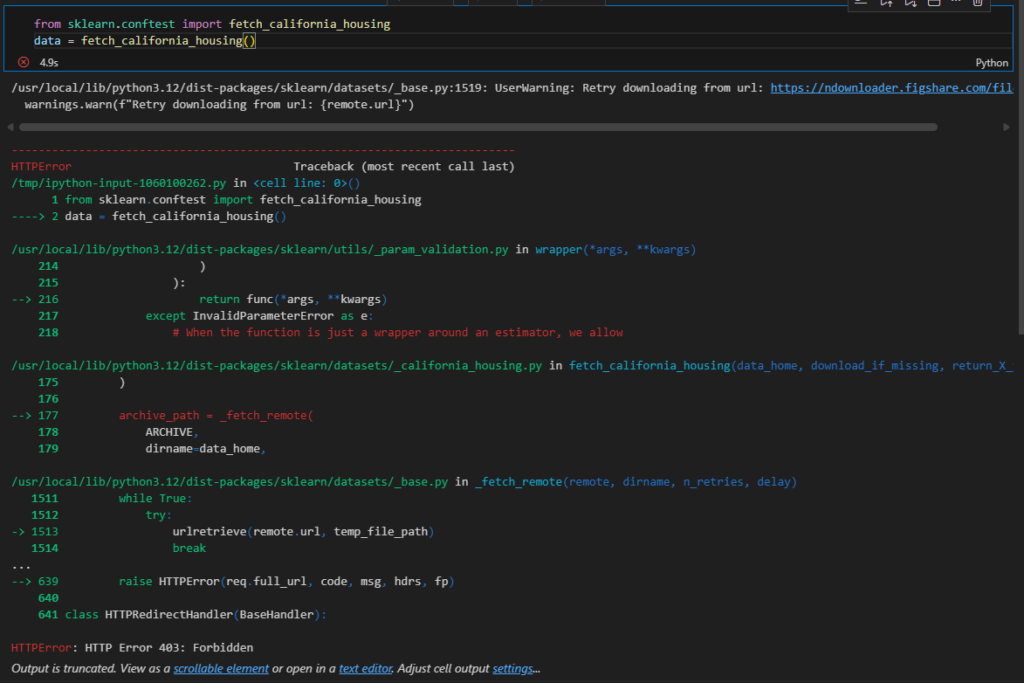
最初は自分のネットワーク構成を疑ってcolabでもやってみましたが,以下の通り弾かれます.
解決方法
中身を探ったところリクエストのヘッダーをいじいじしなくてはいけなさそうなので面倒い!!
これを解決方法にするのは非常に良くない気はしつつも,自分でデータセットを持ってきて配置してしまいます.(パワー)
ということで,まずはデータセットを作成…
あらかじめ作成しておいたデータセットがこちらになります.
ついでに20 newsも追加しておきました.
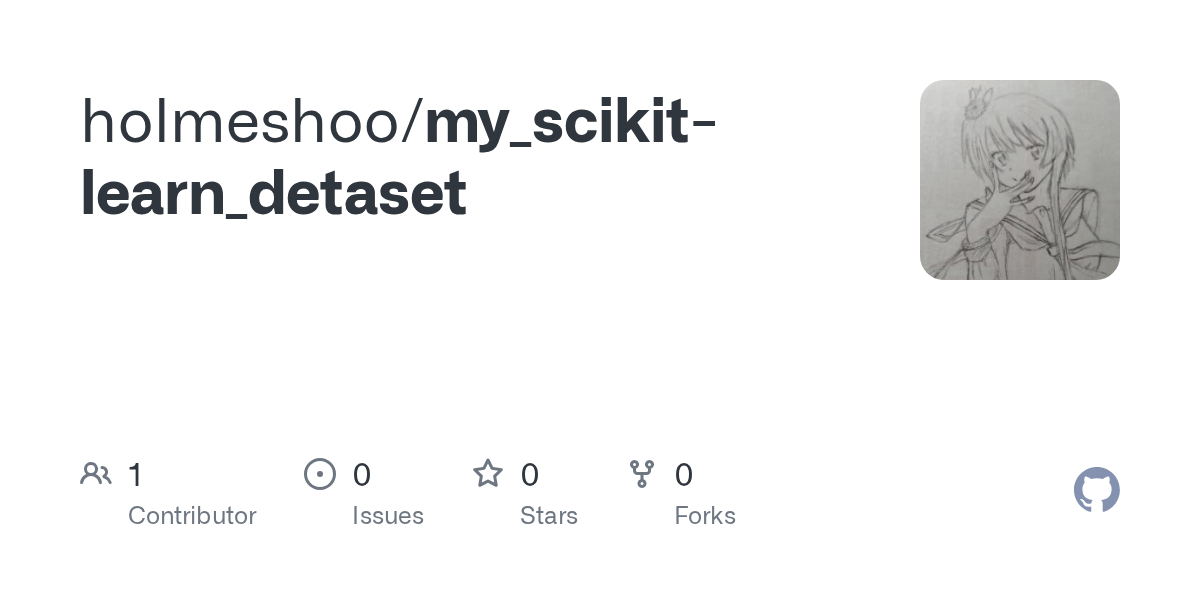
なお,データセットの引用元は以下になります.
URL: http://lib.stat.cmu.edu/datasets配下の、houses.zip内に含まれるcadata.txt
githubのpkzをまずダウンロードしてきます.
その後,自身の適切なディレクトリにこれを突っ込むと,scikit-learnが既にファイルをダンロードしたと認識し,このファイルを読み取ってくれます.
どこにこれを入れるかはそれぞれの環境によって違いますが,以下のコードでscikit-learnがデフォルトで探しに行くディレクトリを取得できます.
import os
from sklearn.datasets import get_data_home
print(get_data_home())
参考までに,私の場合以下のディレクトリにありました.
#上のコード以下のパスが出る
/home/holmes/scikit_learn_data
#なので,以下のディレクトリこんな感じでgitから持ってきたファイルを配置すればいいです.
/home/holmes/scikit_learn_data/cal_housing_py3.pkz
あとは,先程のコードを動かせれば問題ないです.
終わりに
最近忙しくて,記事をちゃんと書く時間が無くて,だいぶ雑な投稿になってしまい申し訳ないです.あとで,この記事も推敲することを期待して投稿したいと思います.
最近,記事にコメントが付いて嬉しい限りです.
同じ様に困っている人の参考になれば幸いです.

コメント